Modular Design - Building
Modular design is like building with a LEGO set.
"Kits" are made of parts that snap together
to build massive worlds Quickly.
A Modular System lets only a few
build an entire universe.
This allows developers more time to focus on making
the world feel more engaging.


Modular Building
Modular building is the secret to working smarter, not harder. Instead of modelling an entire massive cathedral or space station as one giant object, you will design a "kit of parts"—distinct walls, corners, pillars, and floor tiles that snap together. This allows you to build huge, complex environments quickly. You need to think like an engineer here: ensure your "Piece A" fits perfectly with "Piece B," no matter how you rotate them.
For DT students, this is critical for your "Computational Thinking" marks. It shows you understand efficiency—reusing one texture across ten models saves computer memory. For DVC students, this teaches you about "Tectonics" (how materials join together). A well-designed modular kit allows you to iterate and change your level layout instantly without having to re-model everything from scratch.
A Simple Example of a Modular Kit


An extension fo the same Modular Kit


How Modular Building Works
Components can be rotated and mirrored to create variety:

Rotation and Mirroring
Components can be rotated and mirrored to create variety:

Snapping
Components can then be snapped to form complete structures:

Snapping using Instances
Instances are copies of an orginal object. Instances use less memory and allow for easier updates:
In blender, instances are called "linked duplicates" and can be created using Alt+D (or Option+D on Mac).
Editing Instances
When you edit a single instance, all linked duplicates update automatically.
This can save a lot of time when making changes to complex scenes.

Texturing Instances
Adding or changing textures to a single instance, & all linked duplicates update automatically.

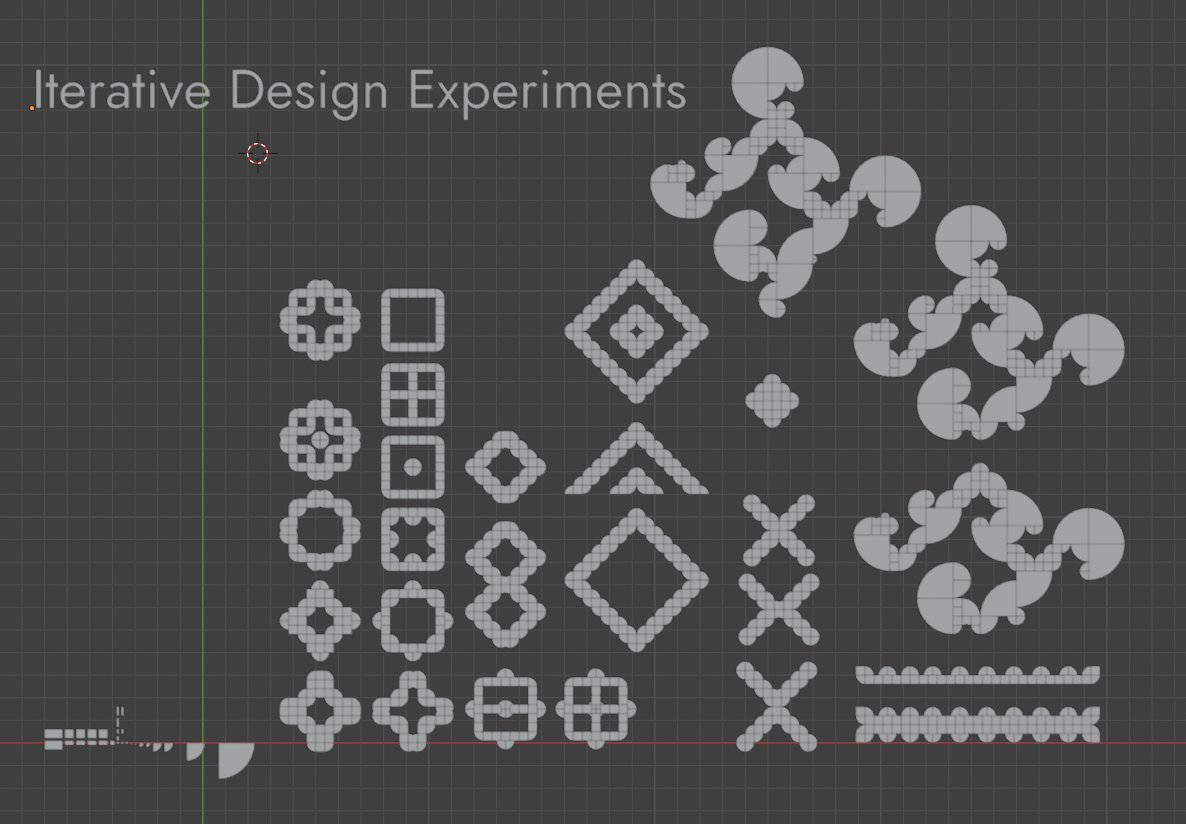
Iteration in Modular Design
For your project, you need to adopt an iterative mindset. Iteration involves more than just creating a single design to meet a need; it requires you to develop a wide range of alternative options and variations.
While documenting these alternatives is a mandatory part of your assessment, the real value lies in the process: it pushes you to learn through experimentation, explore different possibilities, and ultimately refine your work into a much stronger final outcome.